Chrome · Edge · Firefox
typereader for your browser
Double-click any word on a website in French, English, Spanish or German to see its translation and save it to your dictionary. Select a sentence to translate it whole.


Free. Works in Chrome, Edge and Firefox on a computer.
01
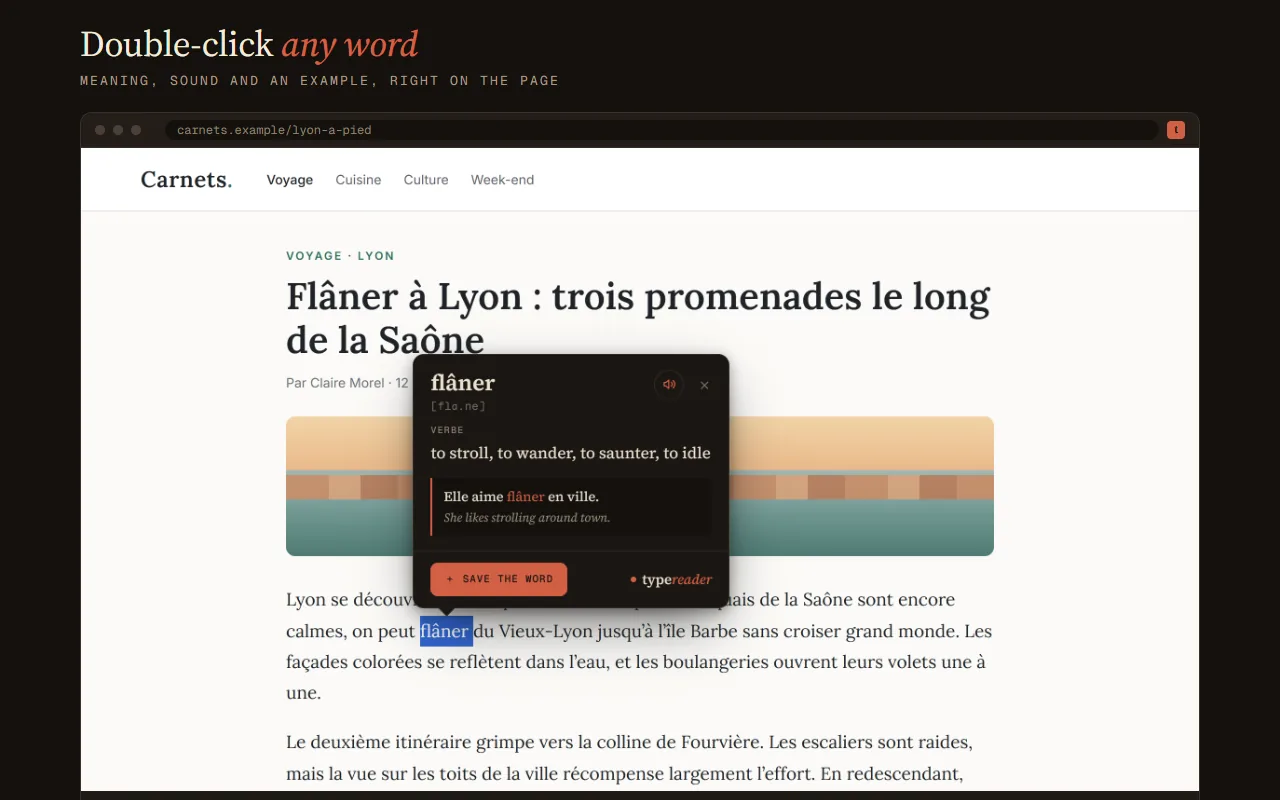
Double-click a word
Its translation, part of speech, an example and the pronunciation open right next to it.
02
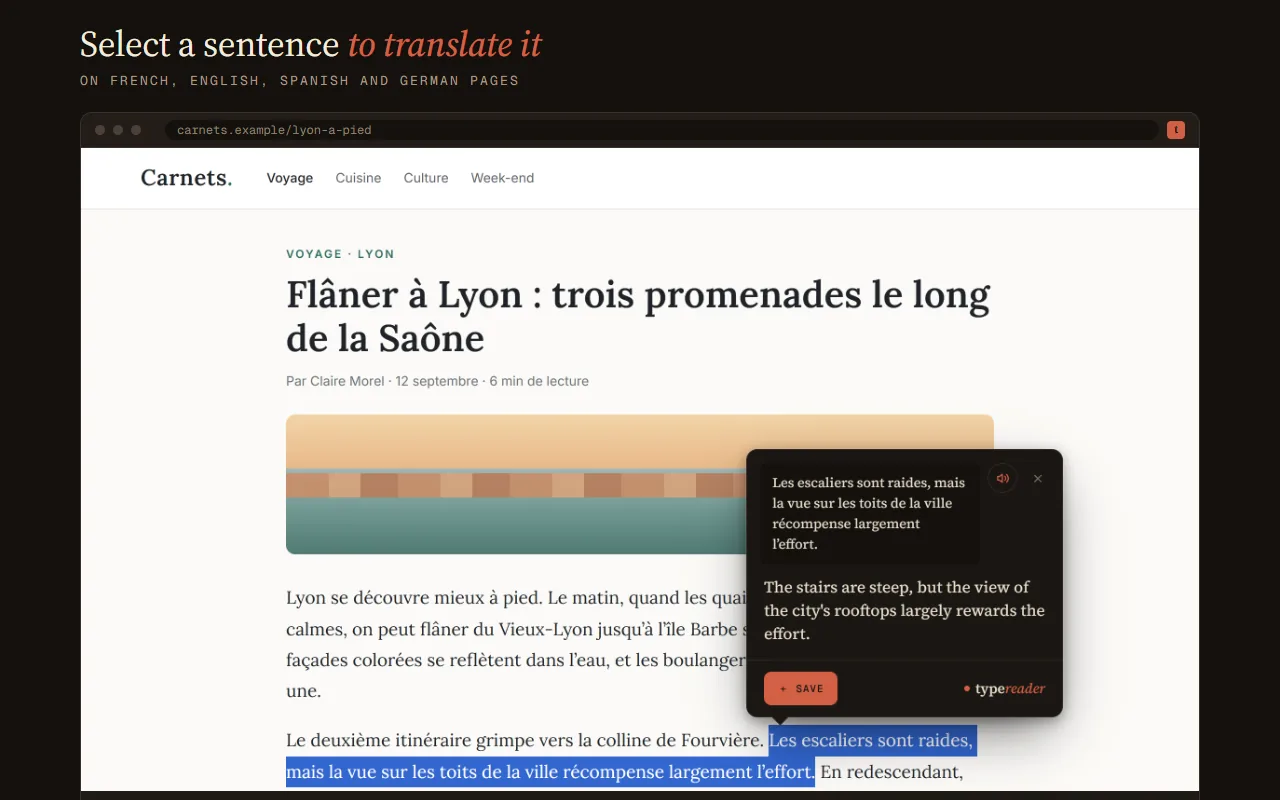
Select a sentence
Click the small button next to it to translate the whole sentence.
03
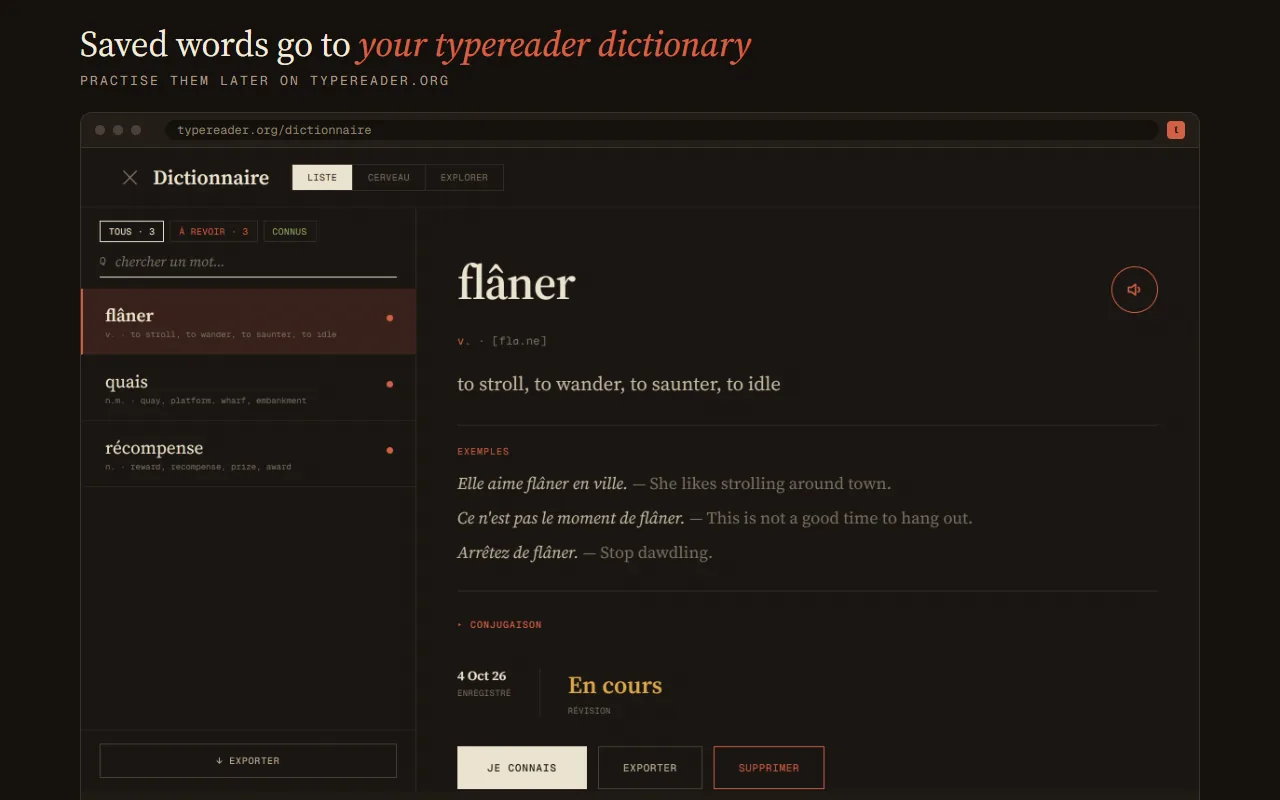
Keep the words
Saved words land in your typereader dictionary next to the ones from your books and audiobooks. Review them or export them to Anki.
Only the word you click, with its sentence, or the text you select is used to translate it. The extension doesn’t read the rest of the page or your browsing history. Privacy policy
Questions? Write to support@typereader.org.